
The steps below can be followed for accepting a Service Request (USR) in the GAM platform:
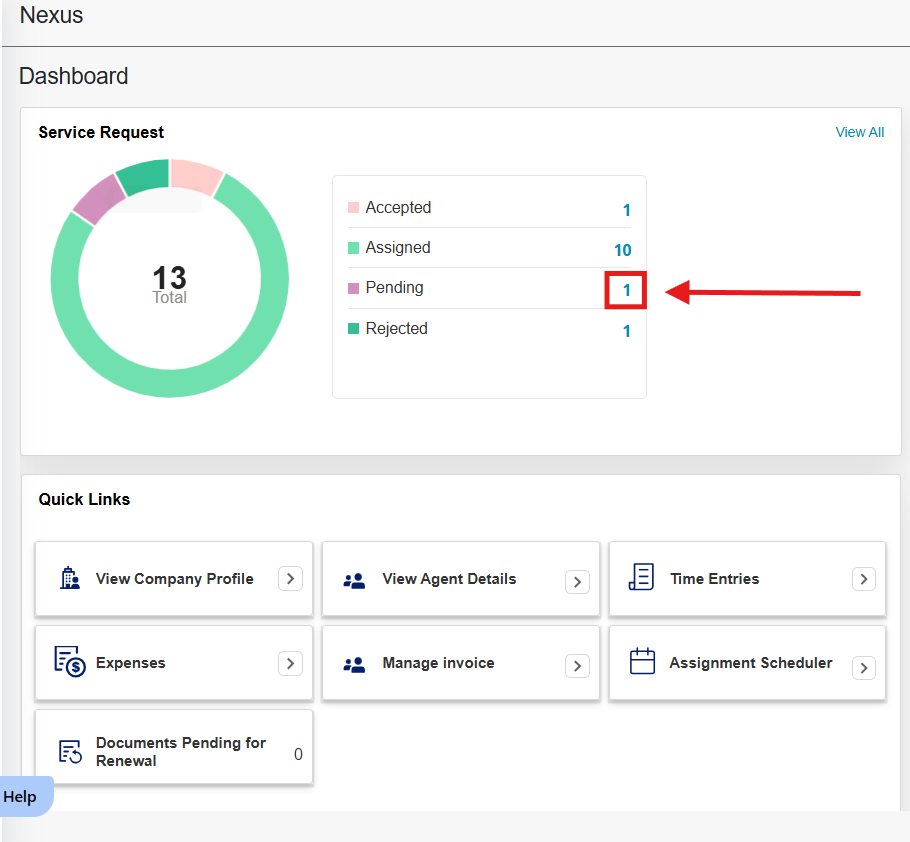
- On your main Dashboard, click on the number of 'Pending', next to the graph.
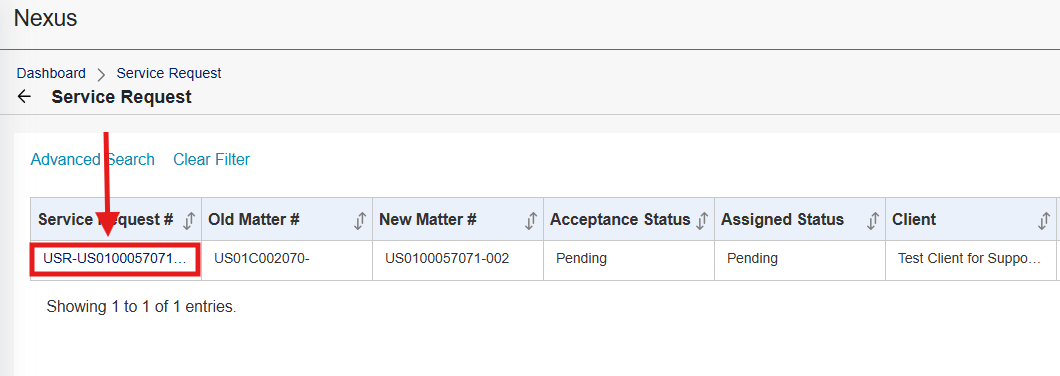
- On the list of pending USRs, locate the one you would like to accept, and click the blue USR number to open it.
- On the USR view, click on 'Accept' on the top right corner. Once accepted, some additional tabs will become available on the USR view.

Was this article helpful?
That’s Great!
Thank you for your feedback
Sorry! We couldn't be helpful
Thank you for your feedback
Feedback sent
We appreciate your effort and will try to fix the article